Bash Script to Enable VPC Flow Logs on all subnets in a GCP Project

Here's a super simple bash script to enable VPC flow logs on every subnet across a specified GCP project with an option to include or exclude logging metadata that I wrote. It has the aggregation interval set to 10-min however, you could modify this to your needs in addition to setting additional flags available for the VPC flow log settings.
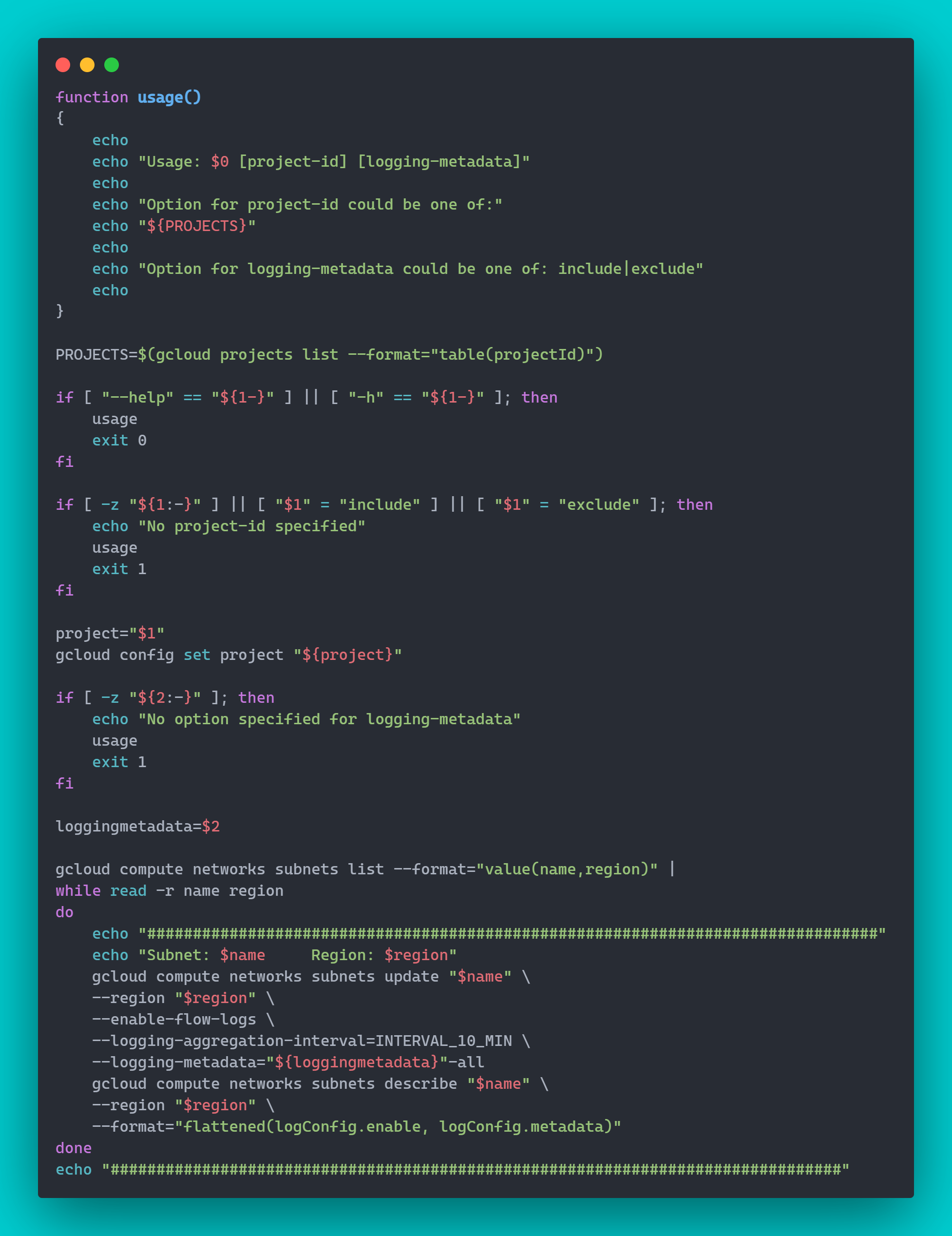
Here are some use cases for enabling VPC flow logs:
Network monitoring: diagnostics and capacity forecasting
Network traffic optimization expenses: inter-region and zone traffic analysis
Network forensics: examine compromised IPs
Real-time security analysis: SIEM integration
Link to script: https://github.com/jksprattler/gcp-networking/blob/main/scripts/enable-flowlogs.sh
About the author
- Hi there! I'm a Cloud Engineer & SRE, documenting my transition into AI/ML Platform Engineering. I write technical deep-dives, hands-on implementation guides, CLI helper scripts, and visual architectures covering cloud, infrastructure, orchestration, governance, and modern AI runtimes.
Comments
Join the discussionNo comments yet. Be the first to comment.
DevEx
Focuses on hands-on developer experience, CLI utilities and tooling, agentic workflows, and real-world implementation guides. Features standalone administrative helper scripts (Boto3 SDK scripts, AWS search utilities, shell tools), local environment debugging, IaC state visualization tools, and agentic developer workflows (Cursor IDE setups, uv environments, custom MCP integrations).