A Zero-Cost Demo for a Cloud App
A static demo site and a 3-minute video, so reviewers never need my EKS cluster running
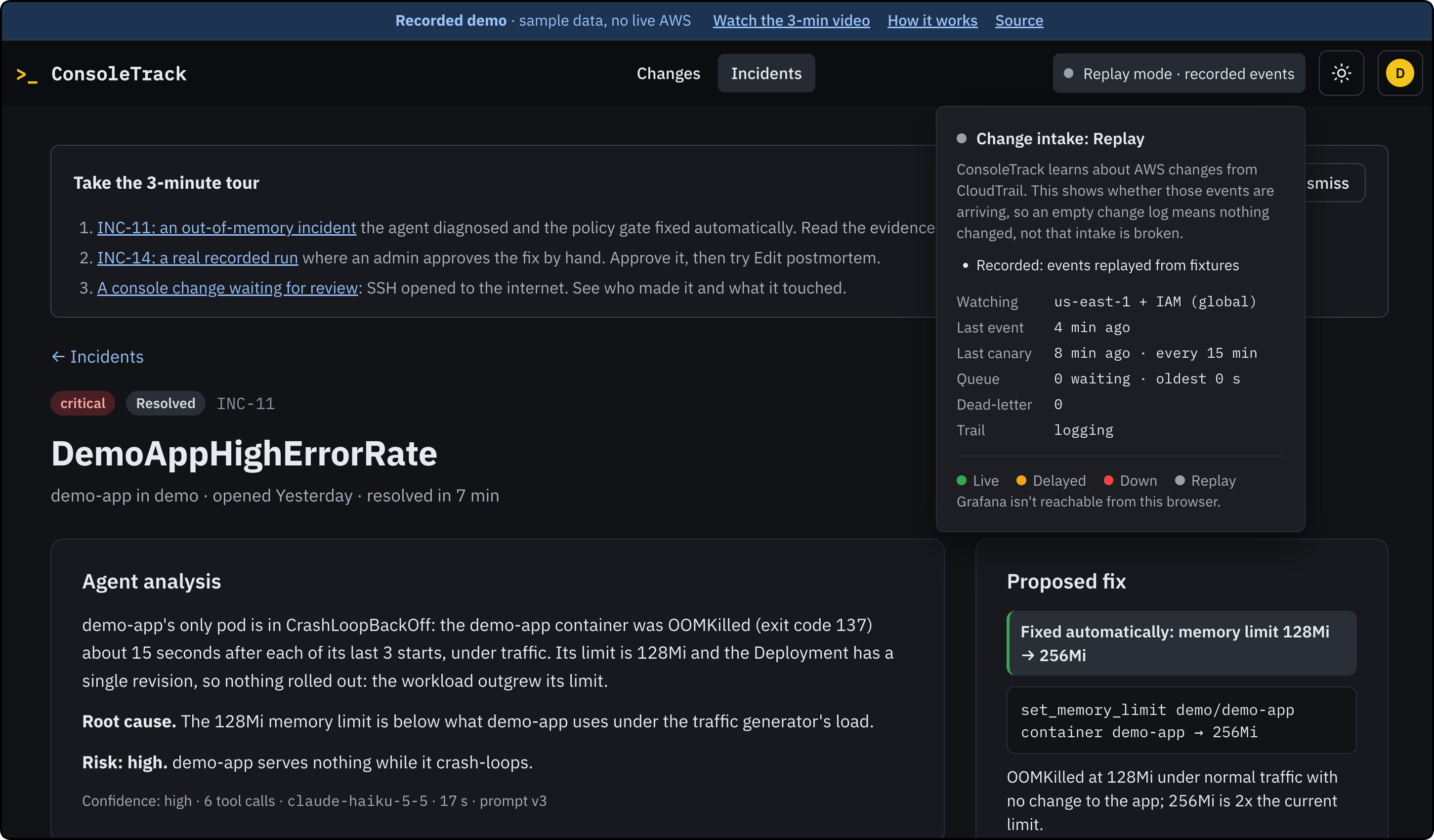
Between an AWS account, 20-minute+ wait, and hourly cost, reviewers likely won’t run make up on EKS. To unblock this, I shipped ConsoleTrack as a static site users can click through, plus a 3-minute video of the real deployment.
ConsoleTrack turns undocumented cloud changes into reviewable records with an agent that triages incidents and proposes fixes.
No running clusters
While it's up, ConsoleTrack on EKS costs about $0.20 an hour. The control plane, two Graviton nodes, a NAT gateway, and storage all left running costs roughly $146 a month. I run make down once I'm done pushing new features, effectively turning off the entire infra stack.
Asking reviewers to have an AWS account and wait 20–25 minutes for make up isn't realistic. Sharing a live viewer account was something I wanted to avoid for a tool that reads CloudTrail.
Demo options
The click-through demo shows what it does. It's the real frontend with sample data. You're signed in as an admin, and every button works: approve a fix, accept a change, edit a postmortem.
The video confirms it's a real cloud app. It shows the system running on EKS, navigated by an admin.
One codebase, two builds
The frontend already had a complete mock mode for local dev and tests: npm run dev:mock, where MSW answers every /api call in the browser. The demo publishes that mode as a static site using GitHub Pages.
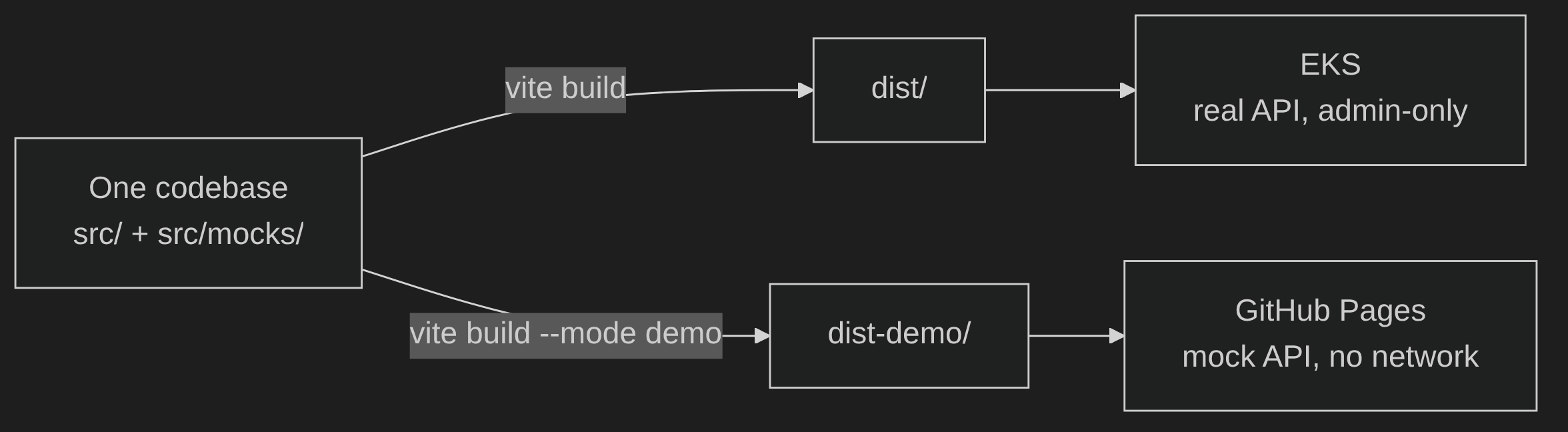
npm run build:demo writes dist-demo/. The production npm run build is unchanged. One codebase produces two builds:
The fixtures follow a real run on a local kind cluster, using the actual alert, faults, and tool results. INC-14 provides generated field for field data from a real capture of an out-of-memory (OOM) fault. The IDs are changed, and the timestamps are re-based to keep the incident always reads as nine minutes old. The fixtures are also typed against the OpenAPI schema. An API change that breaks them fails typecheck.
Dual-build separation strategy
Two builds from one codebase open two potential leak paths, one in each direction. bundle.test.ts builds both modes and checks each one:
- The production build must not contain demo code: no mock service worker, no fixture strings, and no demo-only text.
- The demo build must not contain real data: no 12-digit number except the placeholder account
123456789012, and no IPv4 address outside the documentation and private ranges.
The first check caught a real bug during the initial PR. When the mode check in main.tsx imported its constant from another module, Rollup kept the entire mock chunk in the production build. Writing the check out inline fixed it. Without the test, the mock layer would have shipped to EKS and would not have been caught.
There's also a guard at runtime: /api calls can't leave the browser. The service worker answers unknown calls with 503 mock_bypassed, and any page the worker doesn't control shows "Reload the demo" instead of making a network request.
The demo tour
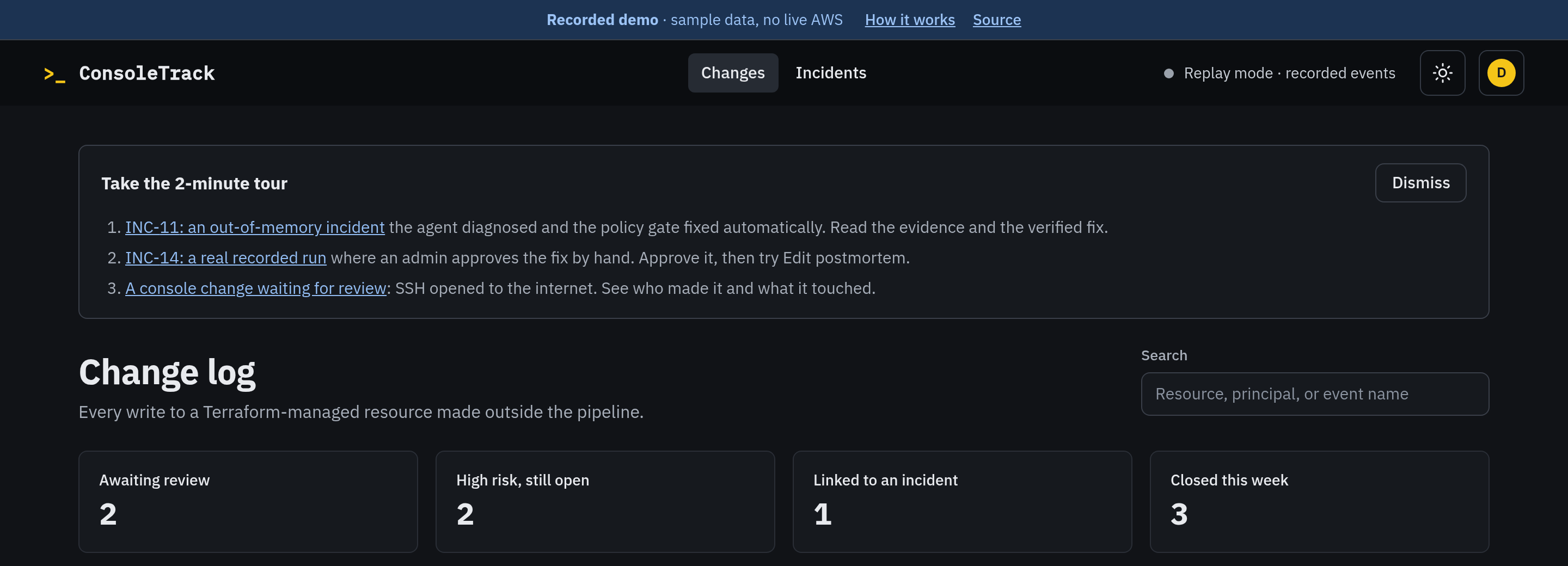
Every page carries a banner "Recorded demo · sample data, no live AWS," with links to the video and the source. The intake indicator says "Replay" instead of pretending to be "Live."
On the first visit, a three-step tour starts:
- INC-11, fixed automatically by the policy gate
- INC-14, a real recorded run that you approve by hand, followed by the postmortem editor
- A console change waiting for review
The original plan had INC-14 as the automatic fix however, during a real run, the model rated its fix with "medium" confidence. The policy still required "high," so the gate waited for a human. Making INC-14 the automatic fix would have meant a false recording. I pivoted and show what actually happened instead.
Playwright on what ships
e2e/demo.spec.ts runs against the built demo under vite preview. It added 14 checks to the 53 existing ones, for 67 Playwright tests in total. The demo checks cover:
- no login screen
- the banner on every page
- every action working
- deep-link reloads
- a blocked service worker
- blocked storage
- axe accessibility checks in both themes
Making your work easy to evaluate
Lower the cost of evaluation, in layers, based on how much time a reviewer has. A banner and a link take ten seconds, the video takes three minutes, and the repo is there for anyone who wants to dig deeper. The cheapest layer should also be secure enough that a public demo never needs a live account behind it.
Links: Demo · Video · Repo · Introducing Demo PR #92
About the author
- Hi there! I'm a Cloud Engineer & SRE, documenting my transition into AI/ML Platform Engineering. I write technical deep-dives, hands-on implementation guides, CLI helper scripts, and visual architectures covering cloud, infrastructure, orchestration, governance, and modern AI runtimes.
Comments
Join the discussionNo comments yet. Be the first to comment.
DevEx
Focuses on hands-on developer experience, CLI utilities and tooling, agentic workflows, and real-world implementation guides. Features standalone administrative helper scripts (Boto3 SDK scripts, AWS search utilities, shell tools), local environment debugging, IaC state visualization tools, and agentic developer workflows (Cursor IDE setups, uv environments, custom MCP integrations).